
UV printing can be used on many plastic products, from PVC cards and ABS electronic housings to acrylic signs, PETG displays and personalized phone cases. The process places UV-curable ink directly on the plastic surface and cures it almost immediately with ultraviolet light, allowing businesses to produce full-color graphics, white underbases, clear varnish and raised textures without screens or transfer paper.
The important qualification is that “plastic” is not one material.
PVC, ABS, polycarbonate, polypropylene, polyethylene, PETG and TPU have different surface properties. A setting that produces excellent adhesion on a rigid PVC panel may peel from a polypropylene box or crack when applied to a flexible TPU case. Mold-release agents, plasticizers, protective coatings and recycled content can create further differences even within the same polymer family.
For that reason, professional UV printing on plastic begins with material identification and sample testing. The printer may be capable of producing a sharp image, but the product is not ready for sale until the print survives the handling, bending, cleaning or environmental conditions expected in its final application.
What Is UV Printing on Plastic?
UV printing on plastic is a direct digital printing process that deposits UV-curable ink onto a rigid or flexible plastic surface and cures the ink with ultraviolet light as it is printed.
UV ink does not need to soak deeply into the substrate. It forms a cured layer on or near the plastic surface, making the technology suitable for non-absorbent materials such as plastic, glass and metal. The printed image is already cured when it leaves the printing area, which reduces the drying delay associated with many conventional liquid inks.
A typical UV ink configuration may include:
- CMYK ink for full-color graphics
- White ink for dark, colored or transparent plastic
- Clear varnish for gloss, matte or textured effects
- Primer for substrates with difficult adhesion
- Additional light colors on selected industrial machines
The process is often called direct-to-object or direct-to-substrate printing because the artwork is printed onto the finished item or plastic blank. There is no need to create a screen for each color, and the image can be changed between products without rebuilding the physical printing setup.
This flexibility is particularly useful for short production runs, personalized products, prototypes and orders containing variable names, numbers or graphics.
However, instant curing does not guarantee permanent adhesion. UV light may cure the ink correctly while the cured layer remains poorly bonded to the plastic underneath. Surface condition must therefore be treated as part of the printing process rather than as a minor cleaning detail.

Which Plastic Types Can Be UV Printed?
Many common plastics can be UV printed, but they should not all be described as “direct-print compatible” without qualification.
The table below provides a practical starting point. Actual performance depends on the exact formulation, surface treatment and production history of the plastic.
| Plastic type | General UV printing suitability | Main concern | Common applications |
| PVC | High after testing | Plasticizers and surface coatings | Cards, signs, panels and promotional products |
| ABS | Medium to high | Mold-release agents and textured surfaces | Phone cases, housings and electronic parts |
| Acrylic/PMMA | High | Static, scratches and protective film | Displays, signs, awards and photo blocks |
| Polycarbonate | Medium to high | Hard coatings and chemical sensitivity | Control panels, covers and machine guards |
| PET/PETG | Medium | Smooth surface and variable treatment | Packaging, displays and transparent products |
| Polystyrene | Medium | Surface treatment and brittleness | Signs, display components and model parts |
| Polypropylene | Low to medium | Very low surface energy | Containers, packaging and molded products |
| Polyethylene | Low | Very low surface energy and migrating additives | Bottles, caps, tanks and molded components |
| TPU | Variable | Flexing, stretching and ink cracking | Flexible cases and soft accessories |
| Nylon/PA | Variable | Moisture absorption and additives | Industrial parts and customized components |
| Silicone | Difficult | Very low adhesion and surface oil | Cases, bands and flexible molded products |
PVC
Rigid PVC is commonly used for signs, cards, display panels and promotional products. It is often easier to print than low-surface-energy polyolefins, but its formulation still matters.
Flexible PVC may contain plasticizers that move toward the surface over time. These additives can weaken adhesion or alter the appearance of the print. A successful test on rigid PVC sheet should therefore not be used to approve flexible vinyl or a soft PVC product.
ABS
ABS is widely used for electronic enclosures, equipment covers, toys, automotive components and molded consumer products. It can produce sharp UV prints when the surface is clean and stable.
The main concern is often the molding process rather than the polymer itself. Mold-release agent, fingerprints, assembly oil or a textured finish can interfere with adhesion. A newly molded ABS part should be cleaned and tested even when another ABS product printed successfully.
Acrylic
Acrylic is generally a practical material for UV printing and is widely used for signs, display blocks, awards and decorative products. Transparent acrylic also supports reverse printing, where the image is viewed through the sheet.
Acrylic nevertheless deserves its own workflow. Protective film must be removed, static can attract dust, and some sheets have coated or treated surfaces. Reverse printing also requires careful control of color and white-ink layer order.
Because RainbowDGT already has a separate guide covering UV and DTF printing on acrylic, a plastic overview article should introduce acrylic without repeating the entire acrylic-printing process.
Polycarbonate
Polycarbonate is used in control panels, safety covers, faceplates and industrial components. Direct printing may work well, but some polycarbonate sheets have hard coatings, anti-scratch layers or other surface treatments that change ink adhesion.
Cleaning solvents also require caution because an aggressive chemical may cloud, stress or damage the sheet. The material supplier’s handling instructions should take priority over a general cleaning rule.
PET and PETG
PET and PETG are used in packaging, transparent displays, cards and formed products. Their smooth surfaces can require additional adhesion testing.
Mimaki’s UV-printing guidance notes that PET adhesion can improve after corona or plasma treatment, with primer required in some cases.
A treated PET sheet and an untreated PET product should be considered different printing substrates. Surface treatment can also lose effectiveness with storage and handling, so production samples should be tested close to the actual printing date.
Polypropylene and polyethylene
Polypropylene and polyethylene are among the more difficult plastics to print because they have chemically inert, non-porous surfaces with low surface energy. This makes it harder for inks, coatings and adhesives to wet and bond to the surface. Additives migrating to the surface can make adhesion even less predictable.
These materials may require one or more of the following:
- A compatible adhesion primer
- Corona treatment
- Plasma treatment
- Flame treatment performed by trained operators
- A pretreated or print-grade plastic
- A different decoration method
Cleaning PP or PE with alcohol may remove contamination, but cleaning alone does not necessarily raise surface energy enough to create a reliable ink bond.
TPU and other flexible plastics
Flexible plastic creates a different problem. The ink may adhere well while the product remains flat, then crack or separate when the item is bent, stretched or compressed.
The ink system must have sufficient flexibility for the intended movement. A phone case, wearable accessory or flexible cover should be tested by repeatedly bending it in the way a customer will use it.
A rigid-ink configuration that performs well on PVC board may not be appropriate for soft TPU.
Silicone
Silicone is one of the most difficult materials for direct UV printing because of its low surface energy and the presence of oils or release agents. Primer and specialized treatment may be required, and some silicone products remain unsuitable even after preparation.
This is a sufficiently specialized topic to justify a separate silicone-printing guide rather than treating silicone as an ordinary plastic.
Why Does UV Ink Peel from Plastic?
Peeling is often blamed on the printer, ink or UV lamp. In practice, the failure may begin at the interface between the plastic and the first ink or primer layer.
Four issues account for a large proportion of plastic adhesion problems.
Low surface energy
For ink to bond effectively, it must wet the surface rather than contract into isolated droplets or sit on top with limited contact.
Polyethylene and polypropylene have particularly low surface energy. Corona, plasma and flame treatment are used in industrial converting to increase surface energy and improve the wettability and adhesion of inks, coatings and adhesives.
Surface treatment is not a universal machine setting. The appropriate method depends on whether the plastic is a roll, sheet or three-dimensional object, as well as its formulation, thickness and heat sensitivity.
Mold-release agents and contamination
Molded parts may carry release agents, lubricants, polishing compounds or fingerprints. These substances can form a weak boundary layer between the plastic and the print.
The ink may appear attached at first, but a tape test may remove the cured layer together with the contamination beneath it.
Cleaning should use a product compatible with the plastic. An overly aggressive solvent can soften, craze or discolor some polymers. Always test an inconspicuous area and follow the plastic supplier’s instructions.
Plasticizers and migrating additives
Some additives are blended into plastics to improve flexibility, processing or other properties. Over time, they may migrate toward the surface.
This can reduce adhesion after the product has already passed an initial test. Flexible PVC, recycled plastics and some molded consumer products deserve longer observation before a large order is approved.
Flexing and thermal movement
Plastic expands, contracts and bends differently from a cured UV ink layer. A rigid plastic sign may remain stable, while a thin panel, snap-fit component or flexible case moves repeatedly in use.
Ink thickness also matters. Heavy white and varnish layers may create an attractive raised finish but are generally less forgiving when the plastic bends.
The correct durability test should reproduce the intended use rather than relying only on visual inspection.
How to UV Print on Plastic Step by Step
A repeatable process is more valuable than a single successful sample. Each approved plastic should be recorded by supplier, grade, surface treatment and print setting.
1. Identify the polymer
Look for a resin identification mark, technical datasheet or supplier information. Avoid relying only on appearance.
Clear PETG, acrylic and polycarbonate can look similar. Black ABS and polypropylene parts may also be difficult to distinguish visually. If the polymer cannot be confirmed, treat it as an unknown material and test cautiously.
Record:
- Polymer type
- Product supplier
- Color and finish
- Rigid or flexible construction
- Recycled content where known
- Factory coating or treatment
- Final product use
2. Remove protective films and labels
Plastic sheets often arrive with a transparent protective film. The edge of the film may be difficult to see, particularly on clear acrylic or polycarbonate.
Printing on the film produces a convincing image that disappears as soon as the customer removes the protection.
Remove all film from the intended print area, then inspect the surface under angled light.
3. Clean without damaging the plastic
Remove loose dust with a non-abrasive, lint-free method. Use a cleaner approved for the specific polymer and surface coating.
Avoid touching the cleaned area with bare fingers. Oils from handling can create visible defects or local adhesion failure.
Static should also be controlled. Acrylic, PET and other plastics attract dust easily, and a small fiber trapped beneath clear varnish becomes especially noticeable.
4. Test untreated and treated samples
A useful qualification test includes more than one sample.
| Sample | Surface preparation | White ink | Curing approach | Purpose |
| A | Cleaned only | As required | Standard | Establish direct-print performance |
| B | Cleaned plus primer | As required | Standard | Measure primer benefit |
| C | Surface treated | As required | Standard | Evaluate corona or plasma treatment |
| D | Best preparation | Reduced ink load | Adjusted |
Check flexibility and fine detail |
Only use primer confirmed to be compatible with the ink and polymer. Roland’s adhesion guidance recommends an adhesion promoter when testing shows significant peeling, while current UV flatbed systems may include dedicated primer options for difficult substrates.
5. Build a fixture
Fixtures are important for phone cases, plastic boxes, badges, keychains and small molded products.
A good fixture should:
- Prevent movement during carriage travel
- Hold each product in the same position
- Maintain a consistent print height
- Avoid covering the printed surface
- Allow fast loading and unloading
- Keep irregular edges away from the printhead
For a batch containing several products, every item should be checked for height variation. A raised clip, button or molded rib may sit closer to the printhead than the main surface.
6. Set color, white and varnish layers
The layer structure depends on the plastic color and desired effect.
For white plastic, CMYK may be printed directly. For black or strongly colored plastic, a white underbase is normally needed to preserve color accuracy. For clear plastic, white may be placed behind selected elements or used in reverse-printing sequences.
Common layer structures include:
- Color only
- White plus color
- Color plus white for reverse viewing
- Color, white and color for two-sided visibility
- White, color and varnish
- Repeated white or varnish for raised texture
White ink should not automatically cover the entire design. Selective white can preserve transparent or colored areas as part of the visual effect.
7. Control printhead clearance
The distance between the printhead and product surface affects sharpness and overspray.
Keep the product as level as possible. A large gap may soften edges, while a gap that is too small increases collision risk.
Irregular molded plastic is often better suited to UV DTF than direct flatbed printing when its height changes exceed the printer’s safe working range.
8. Test the finished product
Inspect more than color quality. Depending on the application, testing may include:
- Dry rubbing
- Fingernail scratching
- Scored tape-pull testing
- Repeated bending
- Snap-fit assembly
- Contact with the intended cleaner
- Water exposure
- Packaging and shipping abrasion
- Heat or cold cycling
- Outdoor exposure
Roland’s practical adhesion guidance recommends examining how much ink peels outside the scored test area and considering primer when substantial lifting occurs.
Do not describe an internal shop test as compliance with a formal standard unless the specified procedure, equipment and conditioning requirements have actually been followed.
White Ink, Varnish and Special Effects on Plastic
Plastic products often gain more value from white and varnish than from CMYK alone.
White ink on dark plastic
CMYK UV inks are not fully opaque. Printed directly onto black ABS or colored PVC, the colors may appear dark and inaccurate.
A white underbase separates the image from the substrate and allows brighter color reproduction. The white layer can be slightly reduced beneath very fine elements to avoid a visible border caused by registration differences.
White ink on transparent plastic
Clear plastic creates several creative options.
A design may be printed in reverse on the back of the material so it is viewed through the front. White ink is then printed behind the color to improve opacity and protect the artwork from direct handling.
Other areas may remain transparent, creating window effects in packaging, display panels and decorative signs.
Spot varnish
Clear varnish can highlight logos, borders, patterns or product names. It may provide gloss contrast against a matte plastic surface or create a tactile detail over a flat image.
The varnish is not automatically a complete protective coating. Its resistance to scratching, cleaners and outdoor exposure depends on the ink system, thickness and application.
Raised texture
Repeated white or varnish layers can create textured lettering and simulated embossing.
Raised effects work best on stable, rigid plastic. On flexible materials, a thick ink build can crack when the product bends. Keep heavy texture away from hinges, clips, snap-fit edges and areas compressed during assembly.
Direct UV Printing vs UV DTF for Plastic Products
Direct UV printing is not the only way to decorate plastic. UV DTF prints the design onto an adhesive film system and transfers it to the product afterward.
The better method depends on the object’s geometry, surface and production volume.
| Factor | Direct UV printing | UV DTF transfer |
| Flat rigid plastic | Excellent | Suitable |
| Accurate edge-to-edge placement | Strong with a fixture | More dependent on manual application |
| Irregular shapes | Limited by printhead clearance | Often more practical |
| Deep curves and recessed areas | Difficult | Limited but more adaptable |
| Need for a fixture | Usually yes | Not during printing |
| Production steps | Print directly onto product | Print, laminate, cut and transfer |
| White ink and varnish | Available | Available |
| Transparent effects | Strong on suitable products | Depends on film and adhesive |
| Material qualification | Ink-to-plastic adhesion test | Adhesive-to-plastic test |
| Flexible products | Ink flexibility must be tested | Transfer flexibility must be tested |
Choose direct UV printing when:
- The plastic surface is flat or consistently shaped
- The product can be held securely in a fixture
- Accurate placement is important
- The same products will be printed repeatedly
- Transparent and reverse-print effects are required
- The business wants fewer transfer steps
Consider UV DTF when:
- The product cannot be safely placed beneath a flatbed carriage
- The surface is curved or irregular
- Many different product shapes are handled
- The design is applied manually after printing
- A small business wants to produce ready-to-apply decals
UV DTF does not eliminate adhesion testing. The adhesive film must still bond to the plastic, and low-surface-energy PP or PE can also challenge pressure-sensitive adhesives.
RainbowDGT’s UVR-33 combines printing and laminating in one compact system, uses two XP600 printheads and supports CMYK, white and varnish output for transferable graphics.
Applications of UV Printing on Plastic
UV printing supports both consumer personalization and industrial product decoration.
Phone cases
Rigid polycarbonate and ABS phone cases are generally more predictable than very flexible TPU cases. A custom fixture allows several cases to be aligned and printed in one run.
Dark cases usually require white ink. Flexible cases must be bent after printing to check for cracking or edge lifting.
PVC cards and badges
Membership cards, access cards, identification pieces and promotional badges can be printed in short batches with variable names, numbers and graphics.
Care is needed around magnetic strips, chips, raised elements and preprinted security features.
Electronic enclosures
ABS and polycarbonate housings can receive logos, model information, safety symbols and operating instructions.
Printing after molding, drilling and major assembly preparation reduces the risk that later manufacturing processes will damage the graphic.
Control panels and faceplates
UV printing can produce scales, icons, warning zones and button labels. Transparent polycarbonate panels may be reverse printed so the graphic is viewed through the plastic and protected from direct contact.
Plastic signs and display products
PVC board, acrylic and polystyrene are used for signs, menu panels, point-of-sale displays and exhibition graphics.
Large sheets require a flat bed, effective vacuum holding and careful control of static and dust.
Promotional products
Keychains, rulers, coasters, plastic boxes, luggage tags and desk accessories can be personalized without creating separate screens.
A fixture becomes essential when several small products must be positioned consistently.
Packaging prototypes
PETG, PVC and other plastic sheets can be used for transparent packaging samples, display windows and prototype components.
Creasing, folding, glue compatibility and surface scratching should be tested after printing.
Industrial plastic components
Equipment covers, identification parts and custom panels may be printed with serial numbers, QR codes or model-specific instructions.
Industrial approval should include the cleaners, abrasion and environmental conditions used in the actual workplace.
Common Problems When UV Printing on Plastic
| Problem | Likely cause | Recommended check |
| Ink peels off in sheets | Low surface energy or incompatible finish | Compare primer and surface-treatment samples |
| Ink lifts only in spots | Fingerprints, oil or mold-release residue | Improve cleaning and handling |
| Colors look dull | No white underbase on dark plastic | Add selective or full white ink |
| White outline appears | Misalignment between white and color | Adjust choke, spread and registration |
| Print cracks when bent | Ink layer is too rigid or thick | Reduce ink build and test a more flexible system |
| Varnish looks rough | Dust, static or textured substrate | Control static and clean before printing |
| Image is blurry | Excessive printhead distance | Improve fixture height and surface level |
| Clear plastic looks cloudy | Incompatible cleaner or excessive primer | Test cleaning and primer on scrap material |
| Adhesion declines over time | Migrating plasticizer or additive | Extend sample observation and change material |
| PP or PE will not hold ink | Very low surface energy | Evaluate corona, plasma, flame treatment or primer |
| Product moves during printing | Weak fixture or uneven support | Redesign the jig and stabilize all edges |
| Edges chip during assembly | Printing occurred before forming or clipping | Complete fabrication first where possible |
Troubleshooting should change one variable at a time. If the operator changes cleaning method, primer, ink density and curing simultaneously, the successful factor cannot be identified or repeated reliably.
How to Choose a UV Printer for Plastic Products
The right machine depends on product dimensions, shape, required effects and daily quantity.
RB-4030 PRO for small plastic products
The RainbowDGT RB-4030 PRO has a 30 × 40 cm A3 printing area and supports CMYK, white and varnish configurations. RainbowDGT lists PVC and plastic among its compatible material categories and offers options for flat, rotary and UV DTF-related workflows.
It is suited to:
- Phone cases
- Plastic cards
- Keychains
- Small signs
- Electronic covers
- Promotional items
- Personalized gifts
Its compact platform is a practical match for small studios and print-on-demand businesses where product variety matters more than large sheet throughput.
Nano 7 PRO for professional studios
The Nano 7 PRO offers a 45 × 60 cm A2+ printing area and CMYK, white and varnish output. RainbowDGT positions it for professional studios and lists PVC, plastic and acrylic among its application materials.
The larger bed is useful for:
- Multiple phone cases in one fixture
- Medium-size plastic panels
- Electronic housings
- Display components
- Batch promotional products
Although the product page describes direct printing without secondary pretreatment, production users should still qualify the exact polymer. PP, PE, treated PET and flexible plastic may require a different adhesion workflow regardless of the printer model.

Nano 9 for larger plastic sheets and batches
The Nano 9 provides a 60 × 90 cm A1+ printing area and supports direct printing on rigid and flexible substrates, along with white ink, varnish and special effects. RainbowDGT positions the model for larger-scale customization and industrial production.
It is better suited to:
- Large display panels
- Plastic signs
- Multiple-product fixtures
- Packaging prototypes
- Equipment faceplates
- Higher-volume personalized production
A larger bed improves output only when loading, fixtures and material qualification are also organized efficiently.

RB-6042H for mixed flat and cylindrical work
The RB-6042H is positioned for printing flat products and cylindrical objects with a rotary attachment. RainbowDGT lists phone cases, acrylic, glass, metal and plastic among its application surfaces.
It may be considered by businesses that handle a mixture of flat plastic products, bottles and other cylindrical blanks rather than only sheet material.
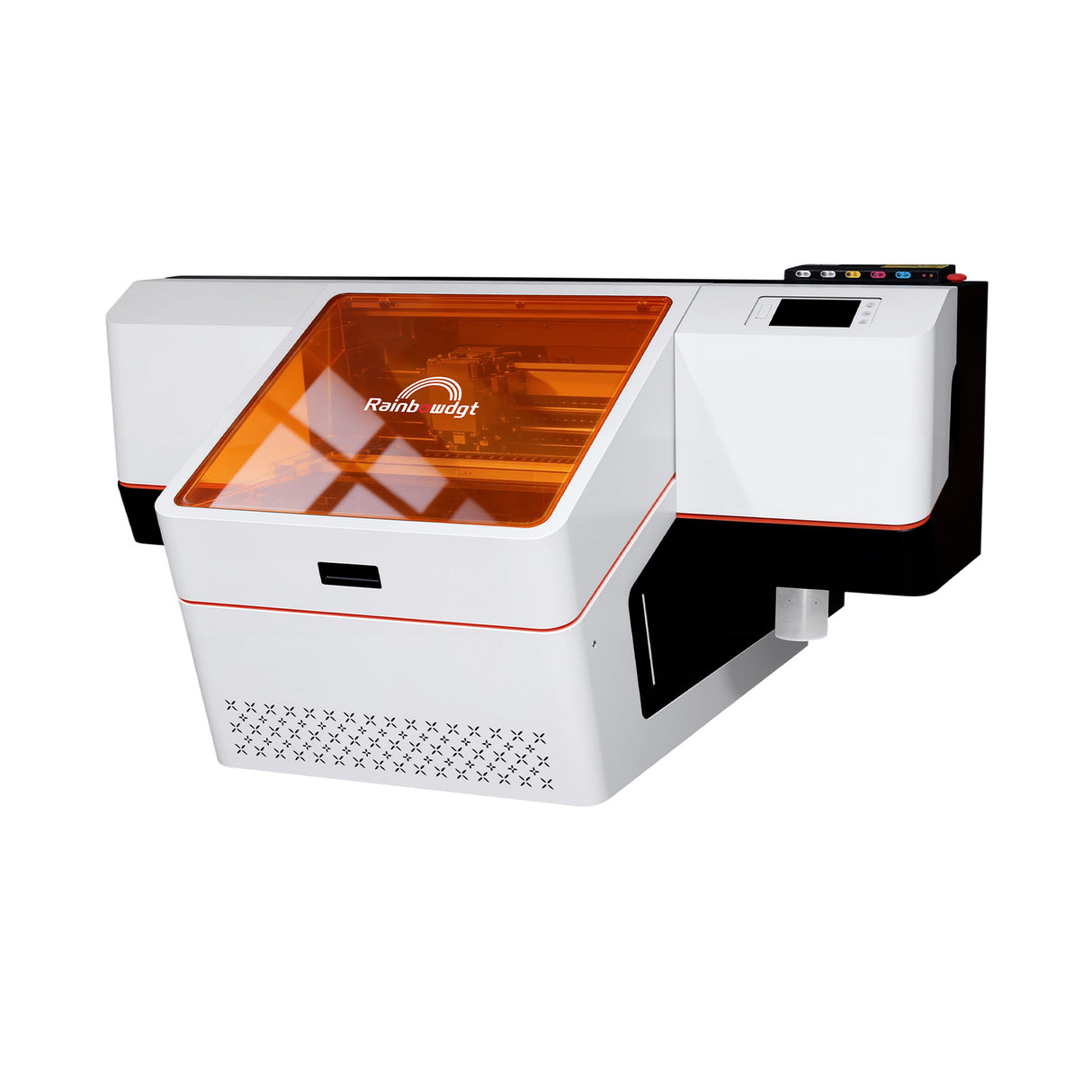
Nano-2513 for industrial plastic sheets
The Nano-2513 has a 2.5 × 1.3 m printing area, industrial printhead options, CMYK plus white and varnish configurations, and a vacuum suction table designed for large rigid substrates.
Typical applications include:
- Full-size PVC sheets
- Large display panels
- Industrial plastic boards
- Multiple sign layouts
- Architectural and exhibition components
- Production-scale rigid plastic printing
Before purchasing a large-format machine, the business should also review floor space, power requirements, material loading, ventilation and safe handling of large plastic sheets.
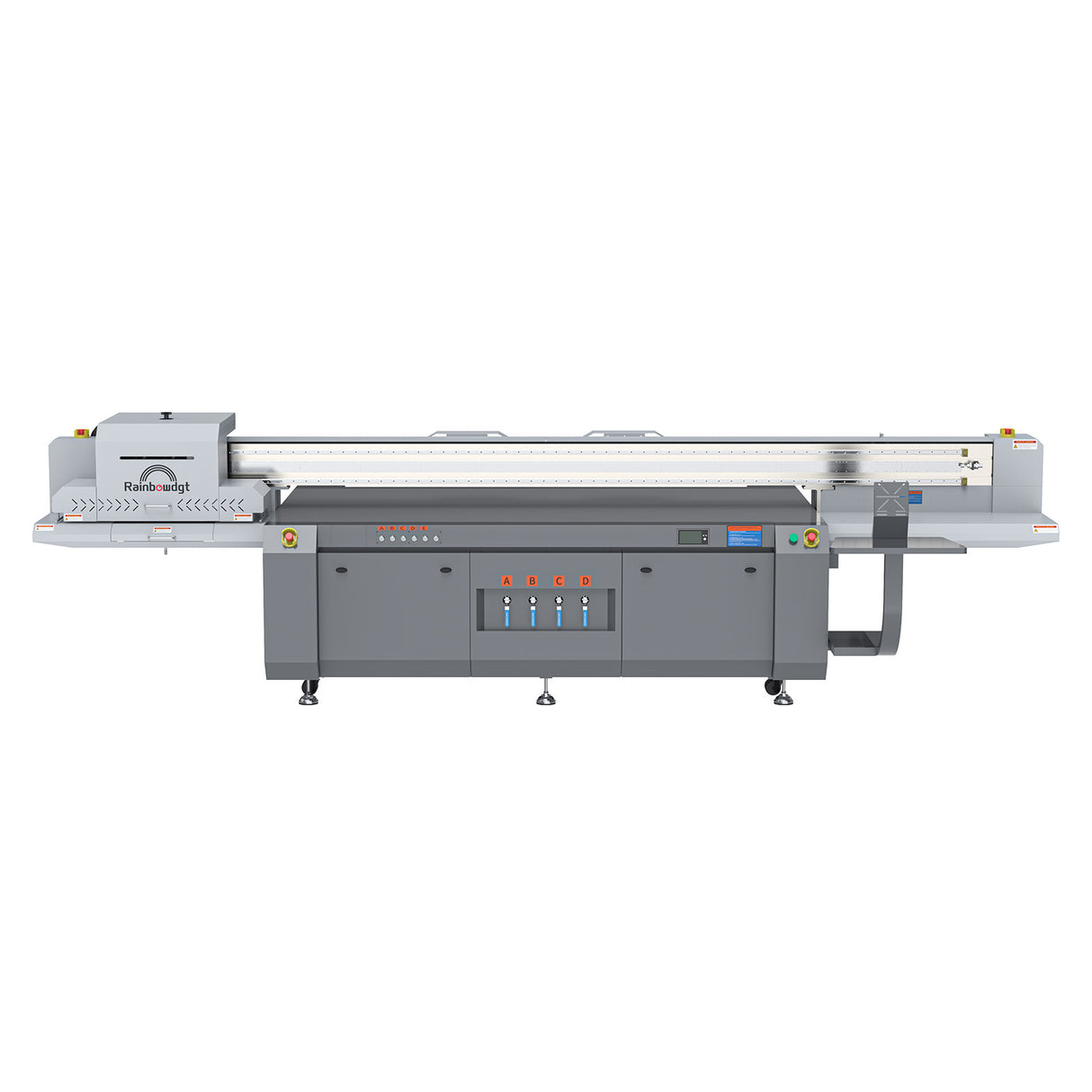
UVR-33 for irregular plastic products
The UVR-33 is a UV DTF solution rather than a direct flatbed printer. Its integrated printing and laminating workflow is more practical for products that cannot be positioned safely beneath a printhead.
It may support customization of:
- Irregular plastic containers
- Curved cosmetic packaging
- Bottles and jars
- Preassembled products
- Mixed-shape promotional goods
The final choice should be based on sample results rather than product category alone.

Questions to Ask Before Buying a UV Printer for Plastic
Before selecting a machine, clarify:
- Which polymers will be printed most often?
- Are the products rigid, flexible or both?
- What is the largest printable area?
- Are the surfaces flat, cylindrical or irregular?
- Will dark plastic require white ink?
- Are varnish and raised textures part of the product offer?
- Can the supplier test the actual production blanks?
- Is primer printing or manual primer application supported?
- How will fixtures be designed for repeated products?
- What durability tests must the finished items pass?
- Will direct UV printing or UV DTF better suit the product mix?
- What training, ink supply and technical support are available?
A demonstration on generic acrylic does not prove that a printer will work on a customer’s polypropylene container or flexible TPU case. The most useful pre-purchase test uses the same blanks, artwork and handling requirements planned for production.
Conclusion
UV printing on plastic can create full-color graphics, opaque white details, clear varnish and tactile effects on a wide range of consumer and industrial products. The process works most reliably when each polymer is treated as a specific substrate rather than part of a broad “plastic” category.
PVC, ABS and acrylic are often easier starting points, while PP, PE, flexible TPU and silicone require more careful testing. Surface energy, contamination, additives and product movement all affect the final bond.
Choose a UV printer according to the size and geometry of the products, then qualify the exact plastic with realistic adhesion, bending and cleaning tests before accepting production orders.
Frequently Asked Questions
Can a UV printer print on all types of plastic?
No. A UV printer can produce an image on many plastics, but acceptable adhesion is not guaranteed on every polymer. PVC, ABS and acrylic are often easier to work with, while polypropylene, polyethylene, silicone and flexible plastics may require primer, surface treatment or another printing method.
Does plastic need primer before UV printing?
Some plastics print successfully after cleaning, while others need primer. The requirement depends on the polymer, surface coating, additives and final durability expectations. Test both untreated and primed samples before approving a production process.
Can UV printing be used on PVC?
Yes. Rigid PVC is commonly used for UV-printed cards, signs and display panels. Flexible PVC should be tested separately because plasticizers and repeated bending can affect adhesion.
Can a UV printer print on polypropylene?
It may be possible, but polypropylene has low surface energy and is often difficult for ink to bond to. A compatible primer, corona treatment, plasma treatment or flame treatment may be needed.
Can UV printing be used on polyethylene?
Polyethylene is another low-surface-energy plastic. Cleaning alone may not provide sufficient adhesion. Surface treatment, primer or a specially prepared print-grade material should be evaluated.
Why does UV ink peel off plastic?
Common causes include low surface energy, mold-release agent, fingerprints, plasticizers, an incompatible coating or insufficient surface preparation. The first step is to identify the exact plastic and compare cleaned, primed and treated samples.
Can UV printing be used on flexible plastic?
Yes, but the ink must tolerate the amount of bending or stretching required by the product. Flexible cases, covers and packaging should be tested repeatedly after printing to check for cracking and edge lifting.
Is UV DTF better than direct UV printing for plastic?
UV DTF is often more convenient for curved or irregular products, while direct UV printing offers better positioning and fewer transfer steps on flat plastic. Both methods require an adhesion test on the actual plastic.
Can a UV printer print white ink on black plastic?
Yes. White ink can be printed as an opaque design or as an underbase beneath CMYK colors. This prevents the black substrate from making the printed colors appear dark and muted.
Is UV printing on plastic waterproof?
The cured ink itself may resist water, but the finished product’s performance depends on adhesion, ink type, primer and exposure conditions. Water resistance should be tested on the exact plastic rather than assumed from the curing process alone.
